
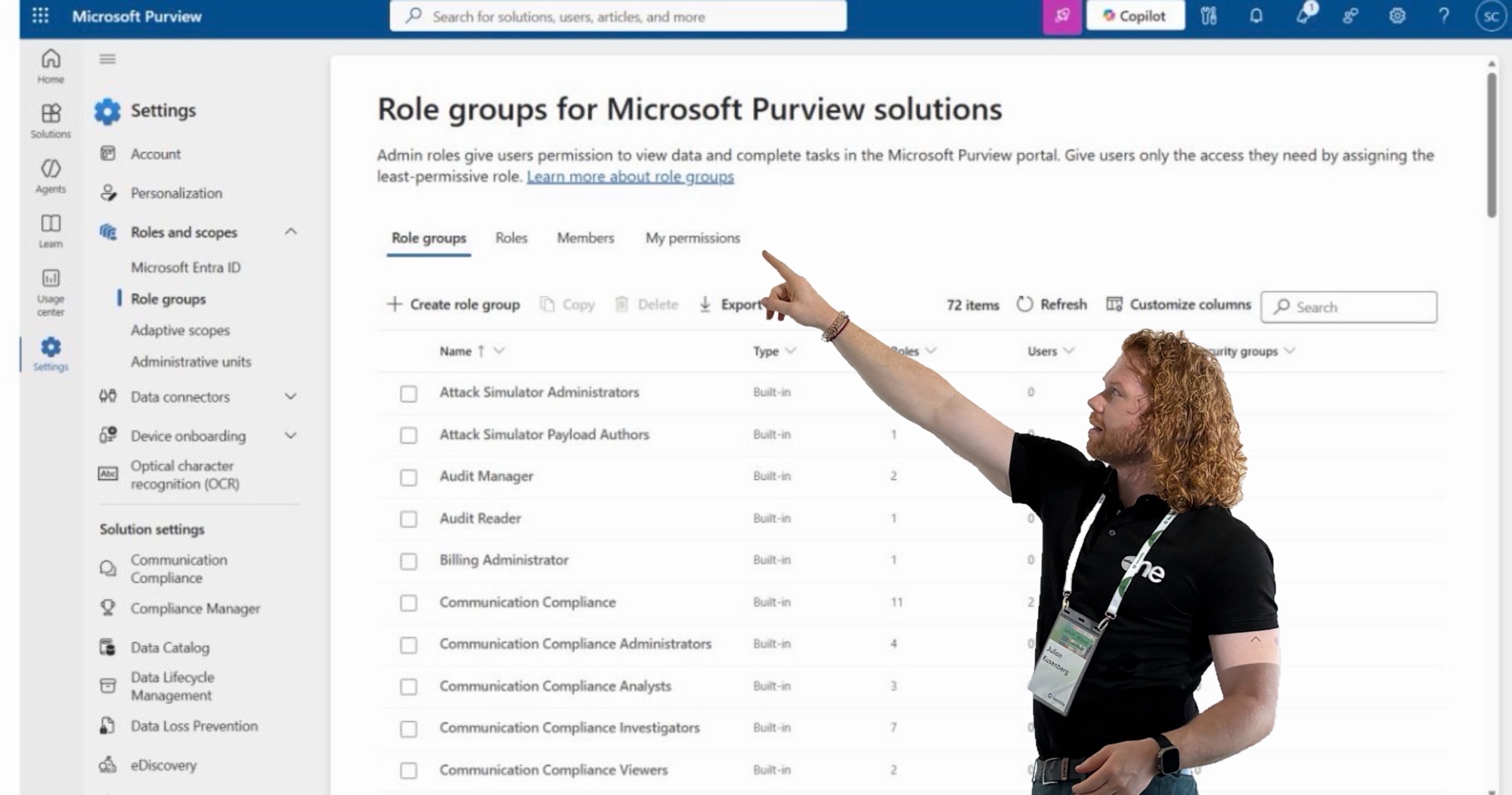
Anyone who has worked with roles, role groups, and permissions in the Microsoft Purview Compliance Portal knows the pain: it’s powerful, but not always particularly clear.
Especially in larger environments, the same questions come up again and again:
- Which permission is actually contained in which role?
- Which roles does a specific person have?
- And what permissions do I actually have right now?
With the announced improvements to the Role Groups interface in Microsoft Purview, that’s finally about to change.
What’s New
Microsoft is expanding the Role Groups page in the Purview Compliance Portal with additional lookup views. Administrators will be able to trace and review permissions much more easily. Particularly helpful are three new perspectives:
📋
By Role
See exactly which permissions are bundled in a role.
👤
By Member
See all roles assigned to a specific user.
🔐
My Permissions
See what you yourself currently have access to.
That might sound like a minor UI improvement. In practice, it’s exactly the kind of change that saves a lot of time day-to-day.
Why It Matters
Purview roles are not just a technical detail. They determine who can view, configure, or execute sensitive compliance functions — across all the areas that matter most:
The new views don’t change any existing roles or workflows. But they make visible what previously had to be painstakingly pieced together.
More transparency here means more security — not just better usability. This is especially valuable for Security and Compliance teams that regularly need to review permissions: during internal reviews, audits, or when it’s unclear why a user has (or doesn’t have) access to a specific function.
Rollout Timeline
According to Message Center ID MC1311975 and Roadmap ID 562033:
| Phase | Timeframe |
|---|---|
| 🟡 Public Preview | Mid June 2026 – Mid July 2026 |
| 🟢 General Availability | Mid July 2026 – Mid August 2026 |
My Take
This isn’t a huge product announcement — but it’s a very welcome improvement. Especially because Microsoft Purview is increasingly becoming the central platform for Compliance, Data Security, and Governance in many organizations, the permission model needs to be easy to understand.
More transparency. Less guesswork. Better reviews.
That’s exactly what Purview needs — and that’s why: finally.

Schreibe einen Kommentar