
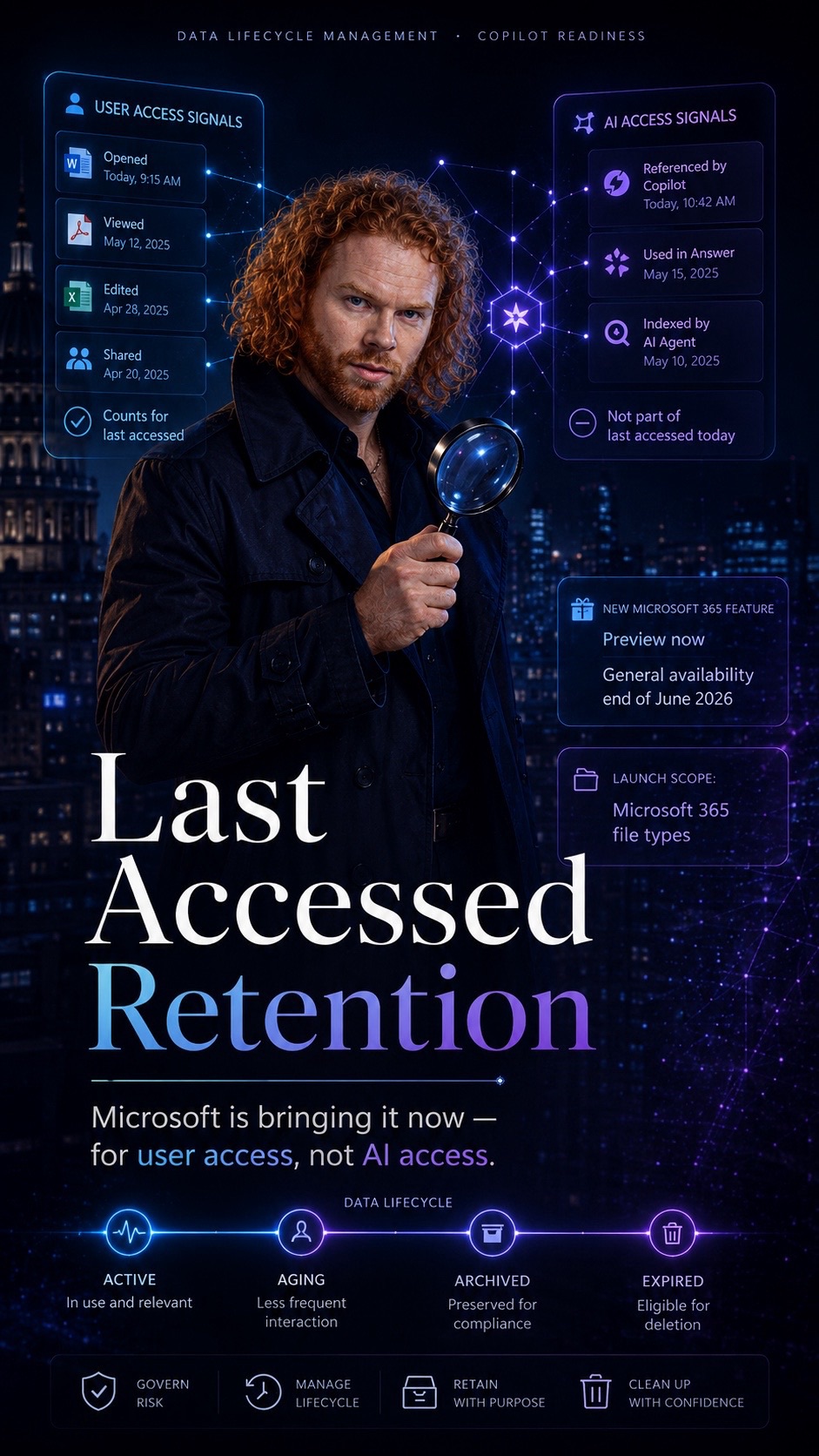
Data Lifecycle Management · Copilot Readiness
Last Accessed Retention Is a Smart Move. But AI Will Redefine What “Accessed” Means.
Storage keeps growing. Old project versions never leave. Forgotten drafts linger in OneDrive. Duplicates quietly multiply. And every one of those files still counts as data you are responsible for.
Microsoft is now adding a retention condition that asks a different question: when was this file last opened by anyone?
That is a good signal. Until AI starts reading your files too. 💬
The problem with today’s retention timers
A creation date tells you when a file began.
A last modified date tells you when it last changed.
Neither tells you whether anyone still needs it.
The new capability is tracked on the Microsoft 365 Roadmap under feature ID 472030. It is entering preview now, with general availability expected at the end of June 2026.
Retention based on last accessed ties the lifecycle of a file to real usage. That makes cleanup smarter and far easier to defend, and it is a welcome refinement for anyone responsible for Data Lifecycle Management.
What it improves
Less clutter, fewer orphaned and duplicate documents.
Lower storage cost.
A smaller attack surface.
Retention timelines you can justify with evidence, not guesswork.
A cleaner foundation for everything built on top of your content.
What’s rolling out
Admins can apply a retention policy or label to files not accessed by anyone in the organization for a defined period.
At launch it covers Microsoft 365 file types. Other file types follow in a later rollout.
It rolls out automatically. No admin action is required beforehand.
It depends on access signals, so accurate audit and activity data matters. Files reached through external apps or legacy sync clients may not log consistently.
The dimension that will only get bigger: AI access
For now, “last accessed” means a person opened the file. That assumption is about to weaken.
People are no longer the only ones reaching into content. Microsoft 365 Copilot, and the growing layer of agents around it, reads, evaluates, and reuses information across SharePoint and OneDrive. Copilot is only as good as the data it can reach, so stale or obsolete files do not simply sit idle. They stay part of the knowledge space Copilot can draw on, wherever permissions and technical conditions allow it.
Cleaning up stale content is good data hygiene.
In an AI world, it is also answer quality.
That gives last‑accessed retention a second role as a practical Copilot‑readiness lever. But it raises a question that today has no clear public answer.
What does “last accessed” mean once humans are no longer the only ones reaching into content?
It is not publicly documented whether reads performed purely by Copilot, agents, or other AI‑based services influence a file’s last‑accessed timestamp. The distinction is more than academic. Historically, “last accessed” has been derived from human file activity in the unified audit log, through actions such as FileAccessed, FileViewed, and FilePreviewed. Copilot, by contrast, records its own distinct interaction events, listing the files it referenced in a separate AccessedResources field.
So which signals count?
If only human access counts, a file Copilot references dozens of times could still be flagged as “untouched” and deleted, even while it is actively shaping AI answers.
If AI reads do count, a file may look “alive” forever simply because an agent keeps brushing past it, never reviewed or retired by a person.
Neither outcome is obviously wrong. But the choice between them quietly defines what your governance model optimizes for, and right now that choice is invisible to the people configuring the policies.
Why this becomes a very big topic
As access shifts from people to AI, one phrase quietly loses its meaning.
The more day‑to‑day access moves from humans to AI services, the less “last accessed” works as a clean proxy for human relevance. Whoever eventually defines how AI access is counted, whether as a real access event, as a separate signal, or as no access at all, is effectively defining the boundary of what gets kept and what gets removed.
A small detail today. A defining governance question tomorrow.
Not the right reaction
Wait until the AI question is answered before adopting last‑accessed retention.
The right reaction
Adopt it now on its lifecycle merits.
Start in report‑only or simulation mode.
Watch which files it would catch, especially ones Copilot references often.
Pair it with Copilot‑readiness controls like permission reviews and sensitivity labeling.
And keep the AI question firmly on your radar.
The real point
Last‑accessed retention is good. Use it.
The AI dimension is not a reason to wait.
It is a reason to watch.
Because “last accessed” will not mean what it means today for very long.
Further reading
Microsoft 365 Roadmap: Feature ID 472030
Learn about Microsoft Purview Data Lifecycle Management
Learn about retention for SharePoint and OneDrive
Microsoft 365 Copilot interaction events overview

Schreibe einen Kommentar