
Copilot Governance · Information Protection
Copilot Created the Document. Purview Kept the Classification.
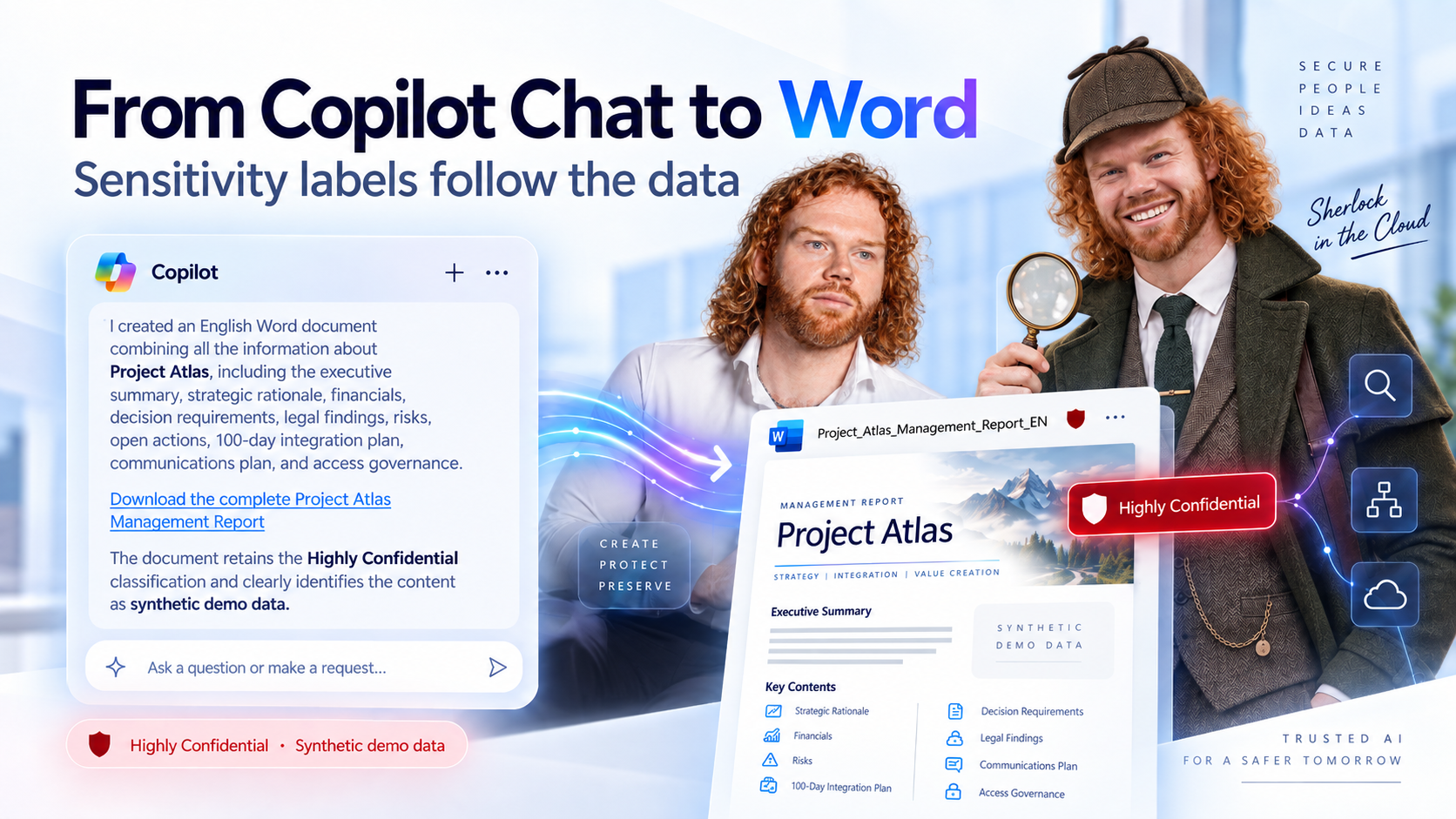
I asked Copilot to turn a Highly Confidential conversation into a Word report. I never touched the Sensitivity menu. The label was there anyway. Here is why it happened, and where the limits are.
Most Copilot governance discussions start on the input side: who can read what, and which content Copilot should never touch. But users no longer just ask Copilot questions. They ask it to produce files. And then the real question is what happens to the classification of the information inside them.
TL;DR, the short version
Since the July 1, 2026 release, files generated by Microsoft 365 Copilot inherit the highest sensitivity label found in the data used. Inheritance as such is not new: Copilot in Word has done it since early 2024, and PowerPoint and Outlook support it too.
In my demo, a fully synthetic Word report came out Highly Confidential. That is classification by provenance, not a fresh judgement of the content.
Inheritance classifies the output. Stopping Copilot from processing the input is a job for DLP.
01 The caseProject Atlas, and a report I never labeled
The setup was a fictional acquisition called Project Atlas. Everything was synthetic demo data: executive summary and strategic rationale, financials, decision requirements, legal findings, project risks, open actions, a 100-day integration plan, communications planning and access governance.
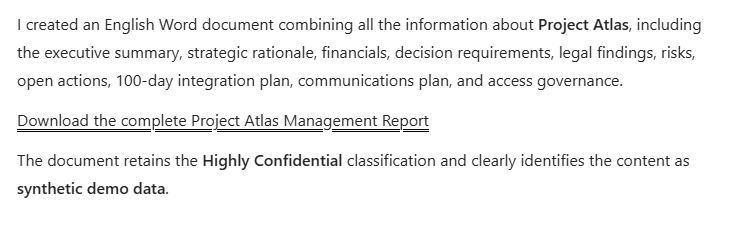
Over the course of the conversation, Copilot displayed the classification Highly Confidential. Then I asked for the step users actually care about: consolidate everything into an English Word document.
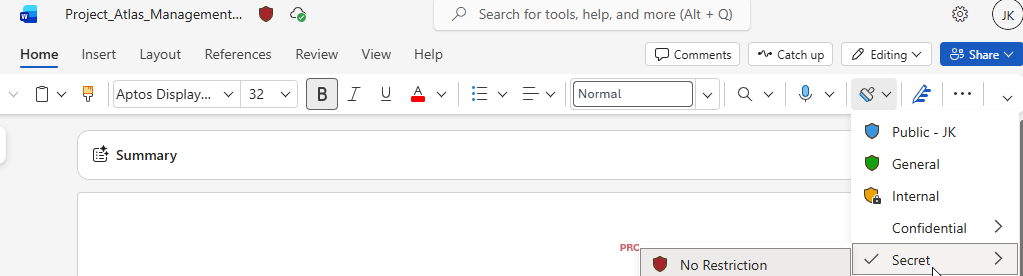
Copilot created Project_Atlas_Management_Report_EN. Its response confirmed the report and stated that the document retained the Highly Confidential classification and clearly marked the content as synthetic demo data. The file appeared with a sensitivity label indicator. Opened in Word, the sensitivity bar confirmed it: Highly Confidential.
I had not asked Copilot to classify anything. The label simply followed the information.

Three labels, not one
The screenshots make it easy to blur three different things.
| What you see | What it actually is |
|---|---|
| Label shown on the Copilot response | The highest priority label from the data used for that interaction. A display to educate the user, not file metadata. |
| Labels on the source content | The input Microsoft documents as the basis for inheritance. |
| Label on the generated Word file | The metadata that travels with the new document and that other Purview controls can evaluate. |
My observation is the outcome. I did not trace the internal decision path, so I will not claim the conversation label was the technical input; Microsoft documents the source data as the basis. And a Copilot sentence saying the document keeps its classification is model-written text, not evidence. Evidence is the sensitivity bar in Word or the label in OneDrive, which is why the third screenshot matters more than the first two.
02 The documentationWhat changed on July 1, 2026, and what did not
The Microsoft 365 Copilot release notes for the July 1, 2026 release contain an entry titled Generated files inherit sensitivity labels. Copilot now evaluates the content used to generate a file and applies the highest sensitivity label found in the referenced data. Microsoft states explicitly that generated files previously did not inherit labels automatically in this scenario. If Copilot cannot apply a label, the user receives a notification and should resolve the classification before sharing or storing the file.
What gets lost in social media summaries: inheritance itself is not a 2026 invention. Microsoft showed it at Ignite 2023, and the April 2024 edition of What’s New in Copilot described Draft with Copilot in Word applying the label of a referenced file to the new draft. The current Purview documentation for Microsoft 365 Copilot confirms inheritance for new content in Word, PowerPoint and Outlook.
| Experience | Documented behavior | Source |
|---|---|---|
| Copilot in Word, PowerPoint and Outlook, plus Edit in Pages from Copilot Chat, creating new content from labeled items | Label and its protection settings are inherited. With multiple files, the highest priority label wins. | Purview docs, April 2024 What’s New |
| Files generated by Microsoft 365 Copilot | Highest label found in the referenced data. Notification if no label can be applied. | Release notes, July 1, 2026 |
| Copilot Cowork | Label inheritance and display listed among the supported Purview controls. | What’s New, June 2026 |
The principle is established, the coverage keeps growing. Do not assume every agent, integration, file type or generation path behaves identically.
03 The mechanicsPriority, not a vote
Step 1
Labeled source data
Atlas material labeled Highly Confidential
Step 2
Copilot interaction
Response displays the highest priority label
Step 3
Generated report
New Word file created from the data used
Step 4
Inherited label
File starts classified, not blank
A second example makes the rule visible. A user builds a management report from two documents: a business overview labeled General and an acquisition financial report labeled Highly Confidential. Both are used as sources. The report comes out Highly Confidential, assuming your label order ranks it above General.
That is priority, not a majority vote. Nine General documents plus one Highly Confidential document still produce Highly Confidential. And it is priority as you defined it in the Microsoft Purview portal.
What counts is the data actually used in a supported generation, not every document Copilot searched or could access.
Inheritance beats a lower manual label
Here is a detail that surprises even experienced Purview admins. Normally, automatic labeling respects a label a user applied manually. Label inheritance does not, at least not when that manual label has a lower priority. Microsoft calls this out explicitly as different from other automatic labeling scenarios.
| Existing label on the destination | Lower priority | Higher priority |
|---|---|---|
| Manually applied | Replaced | Kept |
| Automatically applied | Replaced | Kept |
| Default label from policy | Replaced | Kept |
| Default label for a document library | Replaced | Kept |
Documented outcomes when Microsoft 365 Copilot applies a label through inheritance. Inheritance only ever moves the label up, never down.
When inheritance does not happen
Inheritance depends on supported scenarios and technical prerequisites. Microsoft documents several exceptions for Copilot:
- Container labels on Teams, groups and sites are not inherited by their items, so there is nothing to pass on.
- Labels that protect Teams meetings and chats are not recognized for inheritance.
- Encryption with user-defined permissions, or encryption applied independently of the label, does not support inheritance. Double Key Encryption content is not accessible to Copilot at all.
- If the inherited label cannot be applied, for example because the destination is read-only or the label is not published to the user, the content is not added to the destination item.
In supported scenarios, the label’s protection settings come along too: a footer, encryption, whatever the label applies. But a label does not imply encryption. The red indicator in my screenshot says nothing about protection; the color is simply what the admin configured.
A generated document is a new information asset. It needs a classification from the moment it exists, not from the moment someone remembers.
04 The relevanceThe output side of Copilot governance
A manager asks Copilot to summarize confidential financials, then to turn the answer into a report. That report gets saved, edited, shared. Without a label, the new file has lost the context needed to protect it.
Classification continuity. The original classification follows the information as it is transformed into new content.
Less reliance on manual labeling. Users no longer have to remember to classify every Copilot artifact. That memory is the weakest link in most labeling rollouts.
Consistent protection. Where the inherited label carries encryption or markings, supported scenarios apply them to the generated file as well.
Downstream governance. Once the label is on the file, controls with label-based conditions, such as DLP in supported locations, can act on it.
Inheritance does not create policies, change access or make anything compliant. It sets the label. Your policies decide what it means.
05 The twistSynthetic data, Highly Confidential label
Copilot’s response described the report as synthetic demo data. That is a statement in a generated answer, not proof that Copilot independently assessed the content. Either way, the file still came out Highly Confidential. The result is consistent with classification derived from provenance: the label reflects where the information came from, not a fresh assessment of what ended up on the page.
From a security standpoint that is a sensible default: within supported scenarios, a derivative is designed not to end up less protected than its sources. Operationally, a sanitized summary can inherit a label stricter than its content deserves. Not a defect, but a design choice that needs a human in the loop.
Provenance versus content
Inheritance answers the question where did this come from? It does not answer how sensitive is what is actually written here?
Copilot does not automatically recognize that synthetic data is safe to downgrade. Someone who owns the information has to make that call.
06 The overrideYes, users can change an inherited label
Microsoft treats inheritance like other automatic labeling: users can replace an inherited label, or remove it if mandatory labeling is not enabled. If your label policy requires a justification for lowering a classification, that applies here too.
For my synthetic Atlas report, downgrading after review is reasonable. For a two-page summary of real acquisition financials, it is not; shorter does not mean less confidential. Treat the inherited label as a protective starting point, not a semantic verdict.
07 The misunderstandingClassification is not a Copilot block
A Highly Confidential label does not, by itself, stop Copilot from working with the content. My demo shows exactly that: Copilot worked with Highly Confidential material because the user had access and nothing said otherwise.
| Control | What it does | Direction |
|---|---|---|
| Sensitivity label inheritance | Classifies the new file Copilot generates. | Output |
| Encryption usage rights | Copilot returns protected content only if the user holds both VIEW and EXTRACT. | Input |
| DLP for the Microsoft 365 Copilot and Copilot Chat location | Content contains, Sensitivity labels: prevents Copilot from processing files and emails with the chosen labels. The items can still appear in citations. | Input |
One does not configure or replace the other. If you want Highly Confidential content excluded from Copilot processing, you need a DLP policy for that location. Inheritance will not do it for you.
08 The validationWhat I would test in your tenant
Recommended tests with synthetic data, not results from my demo. Microsoft’s release notes suggest the same: generate a file, then check its properties.
- Single labeled source. Label a source document Confidential, let Copilot generate a new Word document from it, and verify the label on the resulting file.
- Multiple classifications. Use two sources with different label priorities, generate a consolidated report, and confirm the higher priority label is inherited in that experience.
- Protection settings. Use a label that applies encryption or a visible marking. Check whether the generated file carries the same protection.
- Label change. Try replacing the inherited label with a lower one. Observe whether your policy asks for a justification or prevents it.
- File verification. Do not rely on the Copilot response. Open the document in Word, check the sensitivity bar, and where relevant confirm the label in OneDrive.
- Failure path. Find out what happens when Copilot cannot apply the expected label. Review the notification and confirm users know they must classify manually.
Expect differences by experience, platform, license, file type and rollout state.
09 The boundariesWhat this does not mean
- Inheritance works for every encryption configuration.
- Every AI-generated artifact automatically inherits a label.
- A visible label means the file is encrypted.
- The label shown on a Copilot response proves the Word file has the same label.
- Copilot semantically classifies the new document before choosing the label.
- A Highly Confidential label prevents Copilot from processing that content.
- Sensitivity labels and retention labels are interchangeable. Classification and lifecycle are separate concepts.
Case closed
Project Atlas never existed. Its management report still left Copilot with a Highly Confidential label, and nobody had to remember to put it there.
That is the real shift. The question is no longer only what Copilot can access. It is also what happens to that information when Copilot turns it into something new. Label inheritance is Purview’s answer to the second question. Your job is to verify it and know its limits.
Microsoft documentation
- Microsoft 365 Copilot release notes, see July 01, 2026: Generated files inherit sensitivity labels
- Use Microsoft Purview to manage data security and compliance for Microsoft 365 Copilot and Copilot Chat
- Considerations to manage Microsoft 365 Copilot for security and compliance, including label override outcomes and inheritance exceptions
- Learn about sensitivity labels, including label priority and the EXTRACT usage right
- Microsoft Purview DLP for Microsoft 365 Copilot and Copilot Chat
- Microsoft 365 Copilot data protection architecture
- What’s New in Copilot, April 2024: label inheritance with Draft with Copilot in Word
- What’s New in Microsoft 365 Copilot, June 2026: Purview controls for Copilot Cowork

Schreibe einen Kommentar